Prompt input
2026

Every page these days starts with a prompt input and I've had quite some chances to work on them in my career. Jotting down my understanding of these inputs, their behaviour and good to haves when you build one.
Why
Inputs should do only one thing and it should do it well, getting inputs from the users. You might think this is such a simple thing to do, but god you might be surprised by the amount of hiccups I've encountered. Most of the inputs these days have a lot of features like
- rich text editing / markdown support
- file uploads
- mentions / skills
Lets debug how these features work in different scenarios and understand their impact on user experience.
Common scenarios
Rich text formatting
There are tonnes of rich text scenarios available and most common are bold italic and underline. And to my surprise only Codex had support for rich text formatting when comparing with Claude and T3 Code
| App | Rich Text Support | Markdown support |
|---|---|---|
| Codex | Yes | Yes |
| Claude | No | No |
| T3 Code | Partial | Partial |
Observations: This was so easy, Claude had no rich text features, Codex had great support for all the features, be it bold, italic, linking. I was able to nest multiple levels of formatting and it worked perfectly fine.
Why is T3 Code partial? Well, T3 Code didn't have the floating toolbar that let me believe there were no rich text formatting, but then I typed markdown and it transformed. The only catch is the transformation and handling was broken. My cursor would jump to different places when I try to backspace or move.

T3 Code

Codex
do you really need rich text support? maybe no but if you do it, fix all the cases
Long texts
This is an nice win for a lot of users and almost every app handle it, If you try to input long text the input will convert it into an text file and upload it. What could go wrong in this? Well I didn't expect any issues too.
Claude would sometimes handle the paste and convert it into a text file on paste. Some times it would just paste the text in the prompt input. Then I noticed another thing, these were two different inputs themselves, one conversation had the placeholder Reply another had Write a message maybe different conversations depending on their age have different input behaviors which is pretty weird.
PS: I also found that there are 3 inputs 2 different ones for the regular chat (Claude) and another one for Claude Code

Claude
Mentions / @ commands
Mention has search tied up to it and there are two easy searches, one is fuzzy search and another is exact search. I love fuzzy search, it allows me to find things that are close enough when I don't remember the exact name or spelling.
| App | Search Type | Pasting an mention works |
|---|---|---|
| Codex | Almost Exact | Yes |
| Claude | Fuzzy | Yes |
| T3 Code | Fuzzy | No |

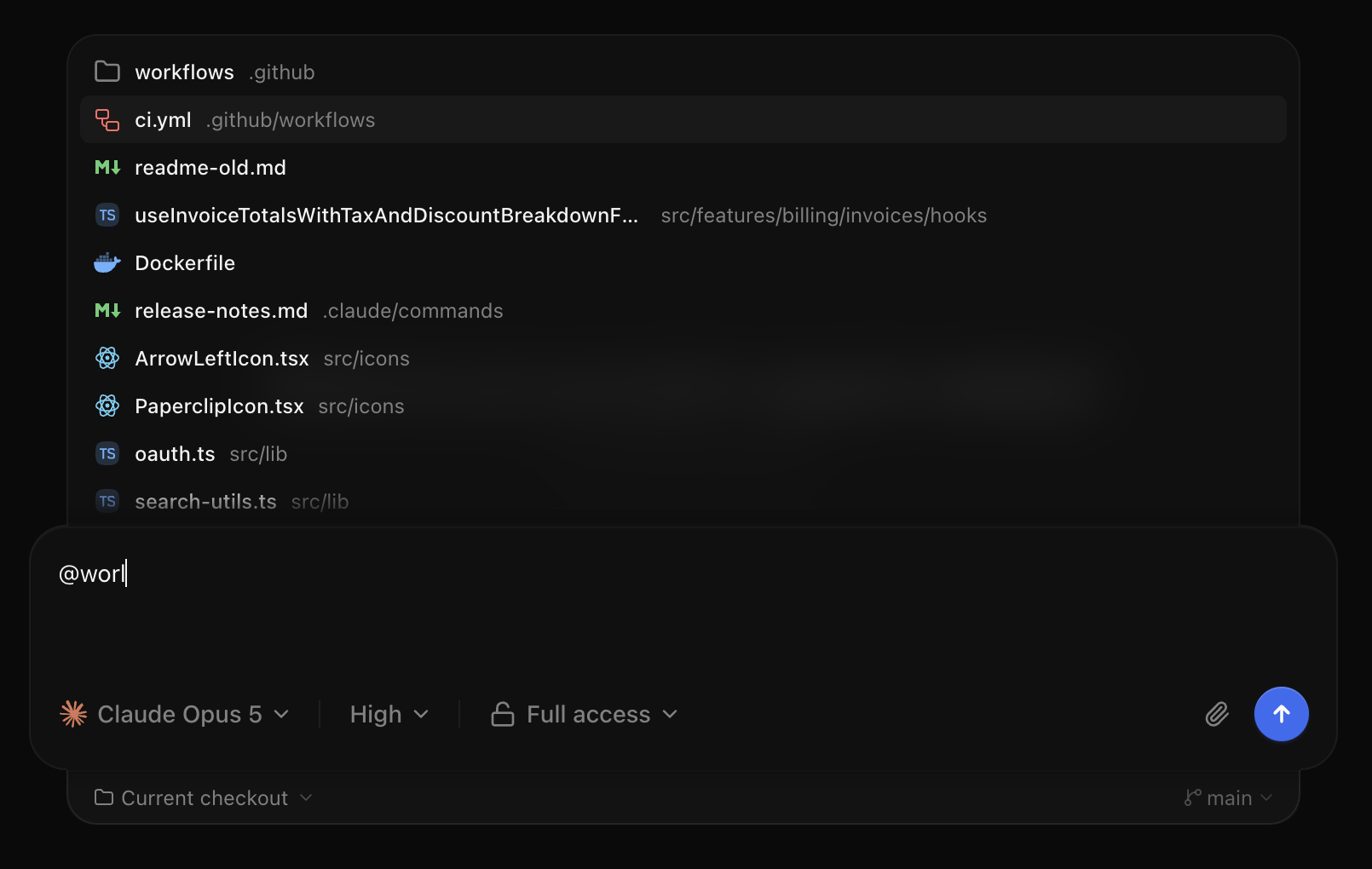
T3 Code

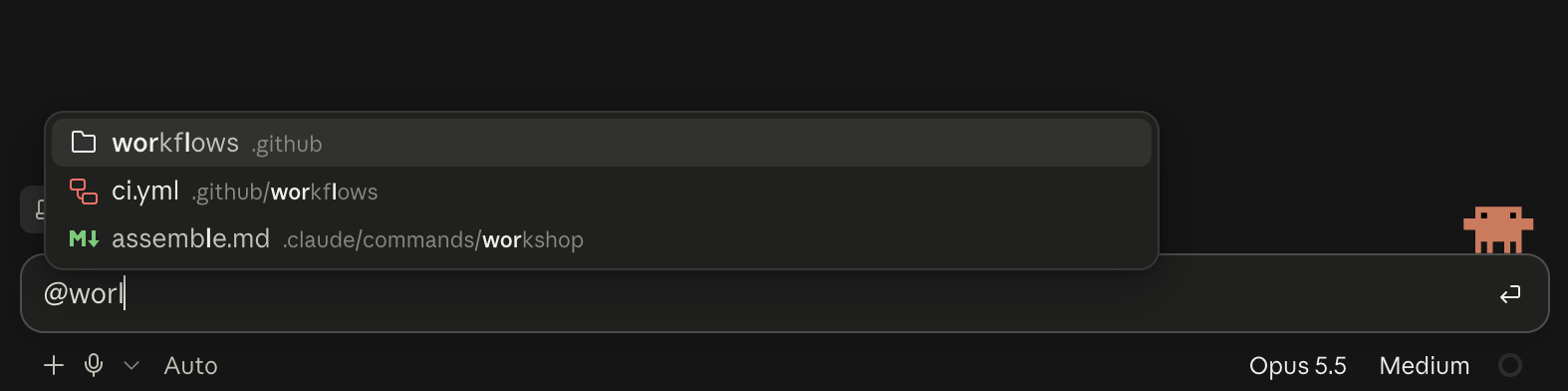
Claude

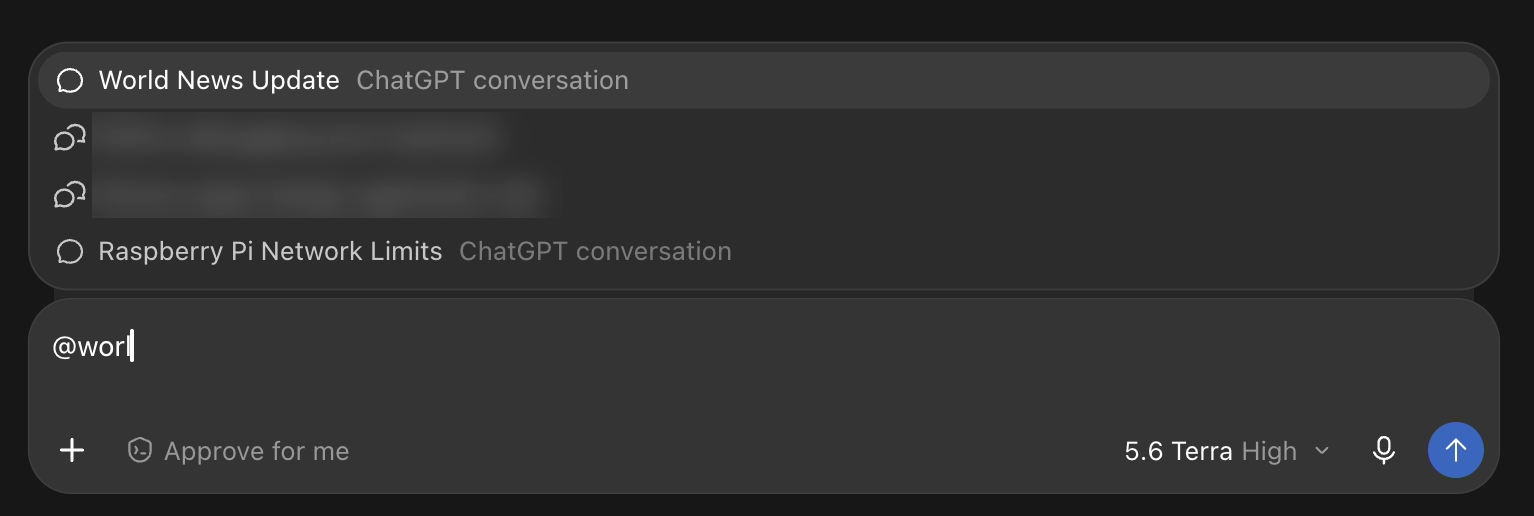
Codex
And then I tried to empty paste an mention to see how it is being handled, and to my surprise T3 Code started to reference a file that was never present. I got Failed to read workspace file 'worl' in '<path>'. Also it showed me lot of files unrelated to my search which made no sense.
File uploads
File uploads are must have for all these inputs, why does this actually count under input? because the user can fill in any information related to the prompt and the file itself.
| App | File Upload Support | Inline File Support |
|---|---|---|
| Codex | Yes | No |
| Claude | Yes | No |
| T3 Code | Yes | Yes |

T3 Code

Claude
Observations: Claude and Codex both allowed file uploads and they handled them as separate entities, not inline within the input. But T3 Code allowed me to paste / drop a file inline along the text. This is nice because I can now point exactly at the entity I am referring in the prompt. Deleting the inline file also deletes the file itself.
Large files
I created an dummy 750MB file to test if the files are getting uploaded or not to the providers but I was surprised
| App | Large File Support (size) |
|---|---|
| Codex | Don't know |
| Claude | 400MB or 30MB IDK |
| T3 Code | 50MB |
Claude validated my file and said it exceeds the 400MB limit. T3 Code on the other hand gave me the warning once and never did again. Codex on the other hand never sent the file LOL.

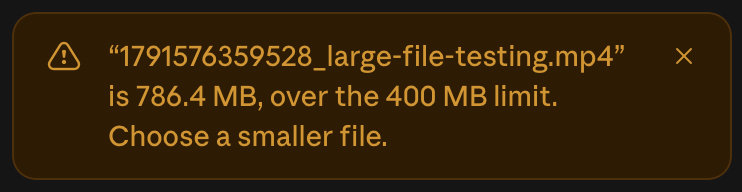
Claude


T3 Code
now this brings me to
Does the file leave your device?
| App | Left my device on upload |
|---|---|
| Codex | Nope (399MB file / 750MB file were never uploaded they were checked in local) |
| Claude | Yes (Started uploading 399MB file, had to cancel) |
| T3 Code | No (Uploaded 39MB stayed in my device) |
well this is interesting because
-
T3 Code doesn't send the file to their server but also doesn't take files more than 50MB?
-
Claude on the other hand was uploading 399MB information to their server but Claude Code in the Claude desktop app didn't upload the file
-
Codex Also didn't send my 39MB / 399MB / 750MB video files to their server, but it does send files if you ask it to edit it (I tried with image edit)
When the files are uploaded the prompt input can wait until the user finishes typing and upload the files when the send is clicked. Or the app can upload the file and attach the url to the prompt.
we need to know about the data retention policies on these files that are getting uploaded in case if you are curious if it matters.
Offline support
The minimal experience I expect is allowing users to remove / retry the file that we tried to upload when the user was offline. Assuming user lost the internet lost connection midway.
| App | Retry upload | Remove upload |
|---|---|---|
| Codex | No | Yes |
| T3 Code | Yes | Yes |
| Claude | No | Yes |
| Claude Code | No (because it just pastes the link) | Yes |
It is weird to see there were no retry options in both Codex and Claude.

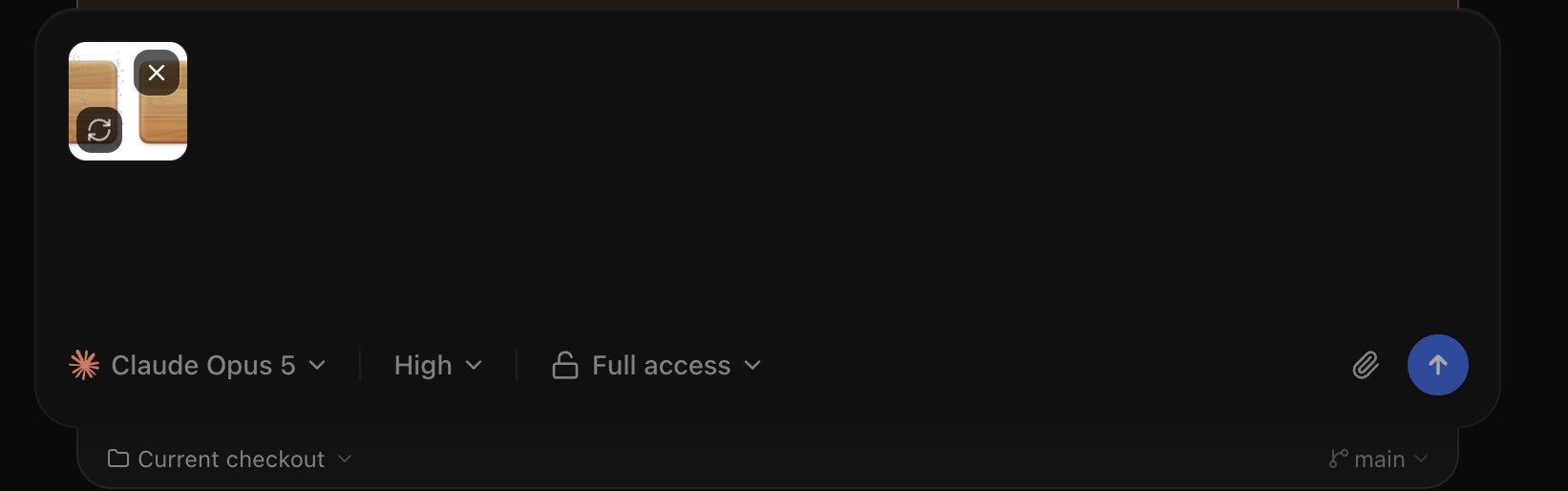
T3 Code


Claude

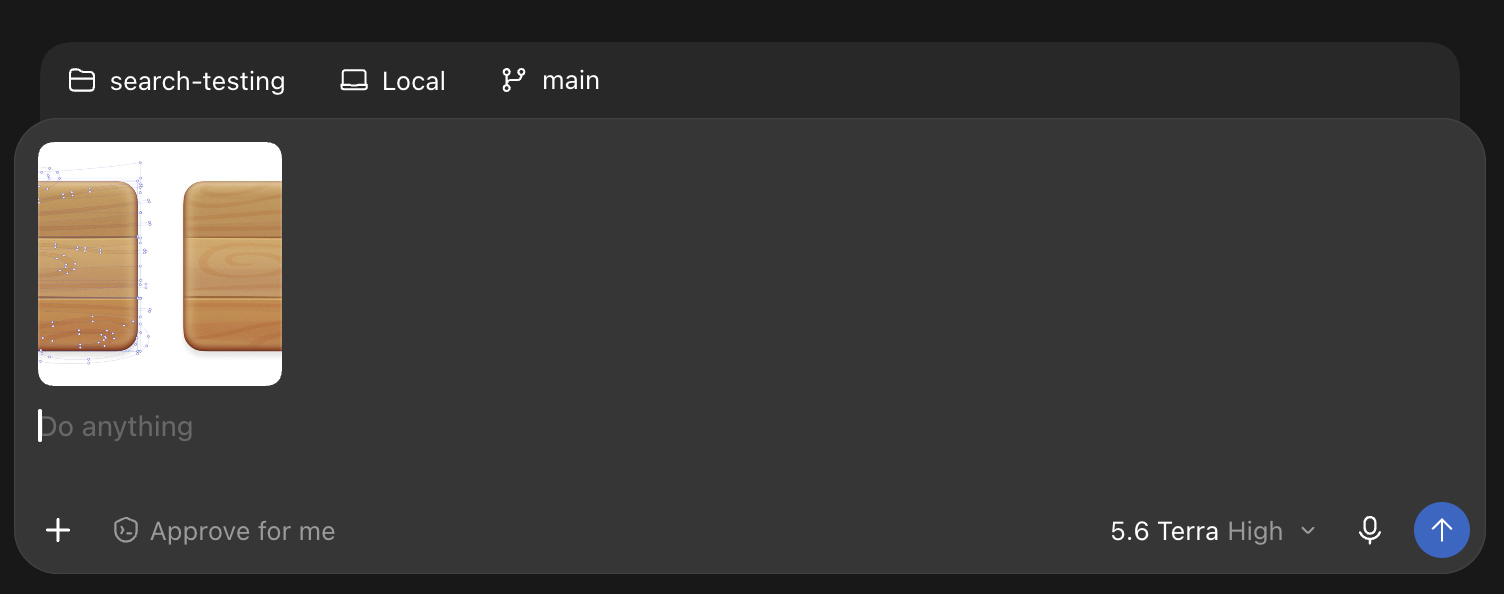
Codex
Deciding
well choosing the right way for everyone might differ, but the point here is it shouldn't differ inside the same app itself. Although these are used by coder / non coder audience I've tried to compare things that would essentially remain the same for both the users. We have not yet counted on the RTL support, multi lingual support, queuing messages etc.
If I were to score based on all the aspects discussed above, here is how it looks
| Feature | Codex | Claude | T3 Code |
|---|---|---|---|
| Rich text support | |||
| Long text to file | |||
| Search | |||
| Mention paste | |||
| File upload support | |||
| Inline uploaded File mention support | |||
| Large files callout | |||
| File leaving device | |||
| Offline support | |||
| Total | 7 out of 9 | 5 out of 9 | 6.5 out of 9 |
The scoring is skewed towards good implementation / I have not awarded points if there is no implementation at all (that doesn't mean half baked implementation is good to have). Whilst all these are collectively my thoughts on using these apps, Maybe I missed some features in hindsight hidden beneath the surface. So you can score based on your own experience as well.
Sometimes these little things go on to prove that every decision needs human in the loop and obsessive testing over the interfaces you develop for the end users if you care.
Why choose these apps for comparison?
I have chosen only the desktop apps that are specific to coding tasks. These apps have been daily driver for development / other tasks, so it might sound like a comparison between an orange, apple and a banana. But I've tried to focus on the Coding experience part of it.
The end
Any information in the blog is based on my experience and observations. This writeup might now show you how such big labs are also trying to keep up with such basic components and fail to do so in some cases. There are lot of nuances that really don't get the attention it deserves. I hope this comparison helps shed some light on them.
I tried these on the following versions:
- Codex - 26.928.31416
- Claude - 2.31226.0
- T3 Code - 0.0.45